Agent Command Overrides
The “Agent Command Override” feature lets you define alternative commands/scripts for agents supported by aoe. This
can be useful for running with specific options (though this can also be done using “Agent Extra Args”), via a script,
or under a sandbox such as nono.
Configuring an override
Via the TUI
The “Agent Command Override” setting can be found under the “Agents” setting group.
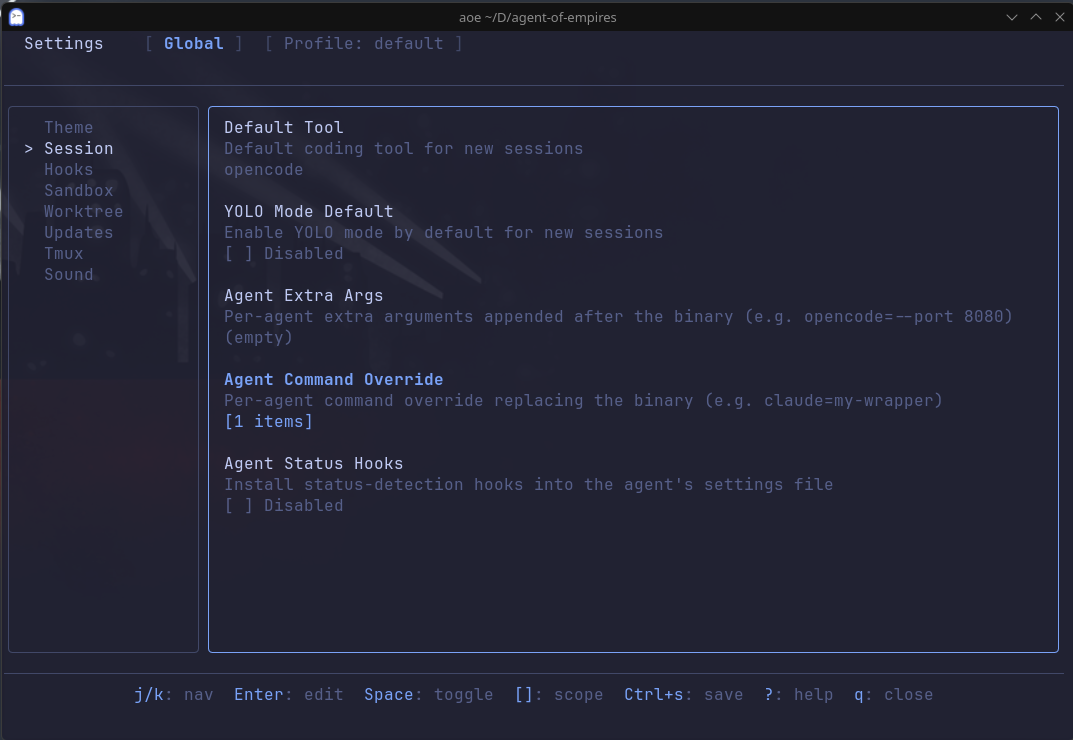
You can define a command override on a per-agent basis using the format:
<agent>=<cmd>For instance, to define an override to launch OpenCode using nono as a sandbox:
opencode=nono run --profile opencode-dev --allow-cwd -- opencodeVia the config
Similarly, agent command overrides can also be added to your aoe config at the global, profile, or repo level:
[session.agent_command_override]
opencode = "my-opencode-command"
Via the CLI
Finally, an agent command override can also be used via the CLI using the aoe add command:
aoe add --cmd-override <CMD_OVERRIDE>A configured override also applies to plain aoe add --cmd <agent> (without --cmd-override): the agent name
resolves through agent_command_override just as it does in the TUI. This means the override is honored consistently
whether the session is started from the TUI, a terminal CLI session, or an structured-view session. The on-PATH check that
aoe add runs before creating the session verifies the resolved override binary, so a session works even when only the
wrapper (for example opencode-plannotator) is installed and the bare agent binary (opencode) is not.
Via the web dashboard
The new-session wizard previews the exact command a session will launch.
Under “More options”, the agent section shows the resolved command beneath
the “Command override” field, post-override and post-arg-resolution; for a
structured view session this is the ACP registry command plus its args (for
example opencode acp, or opencode-plannotator acp once an override is
set), not the bare binary. Type in the “Command override” field to set the
per-session command override; the registry args are appended automatically
and never duplicated. Note that extra args are ignored for structured view
sessions; use the command override to change a structured view launch
command.
Priority order
As mentioned in the Configuration Guide, aoe uses a layered configuration system. As such,
settings such as agent-command override are evaluated in the following priority order:
- Per-session - passed via
aoe add --cmd-overridein the CLI - Repo override - configured in the repo project-root config
- Profile override - configured in the profile config
- Global override - configured in the global config
Shell support
When running an agent command override, aoe attempts to use the user’s $SHELL. However, it will default to bash
if:
$SHELLis not set, or- The shell is non-POSIX (
fish,nu,nushell,pwsh,powershell)
If running a non-POSIX shell where you have defined your wrapper/command as a script, abbreviation, alias, etc, it is
advisable to either write a bash script for your override, or define it directly in aoe.