Web Diff View
The diff view shows what a session changed: a list of touched files and a syntax-highlighted, reviewable diff for each. It is the browser counterpart to the TUI Diff View; this page covers the web-specific surface. Open it from the right-panel picker (mobile) or the session split (desktop).
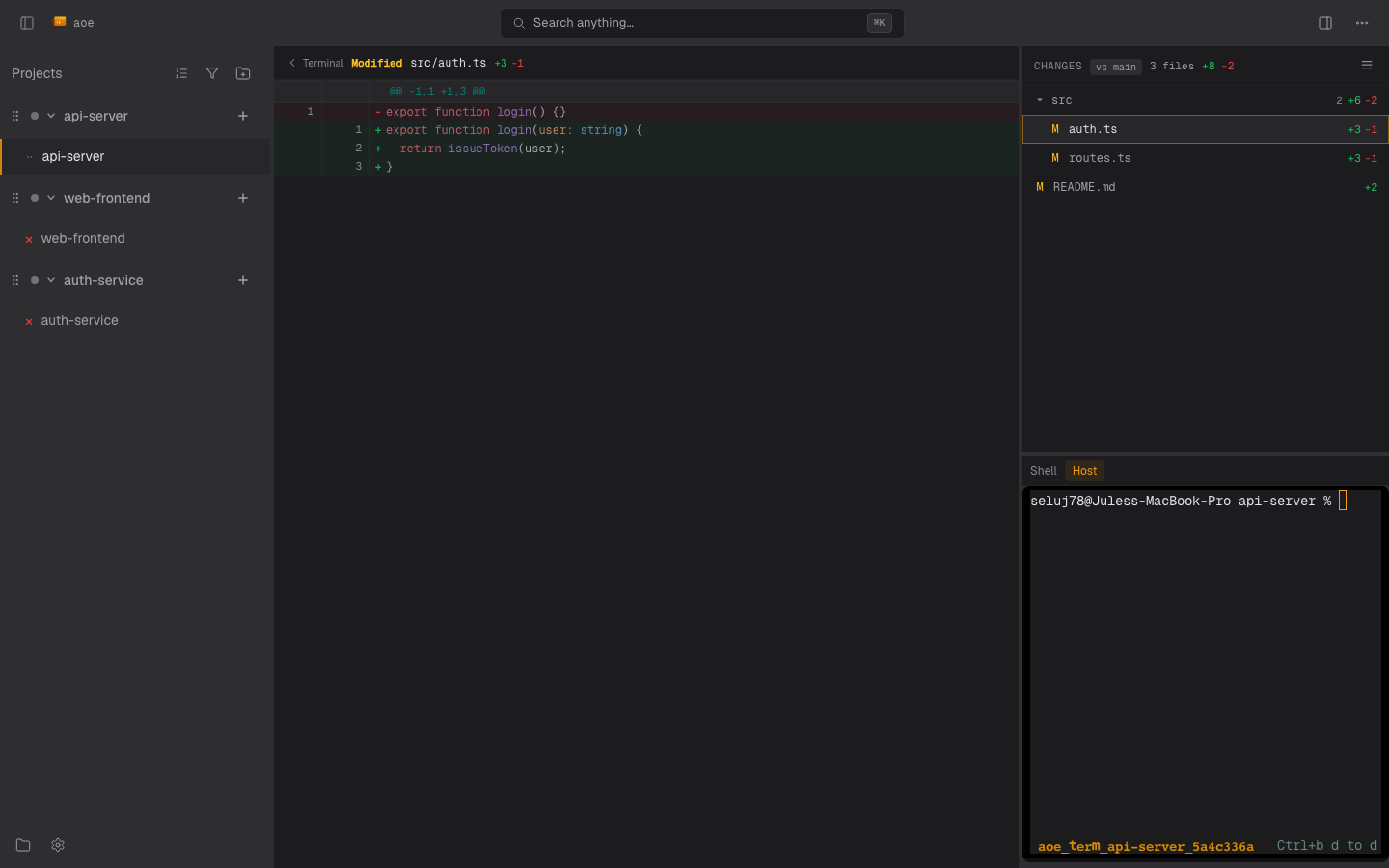
Changed-files list
The file list has two layouts, toggled in its header:
- Flat lists every changed path.
- Tree nests files under collapsible directories, with a file count
and aggregate
+/-line stats per directory.
Each entry carries a color-coded status letter: A added, M
modified, D deleted, R renamed, C copied, ? untracked, U
unmerged. Renamed files show old → new. Per-repo collapse state for
multi-repo workspaces is persisted to your web settings, so a directory
you fold stays folded across reloads.
Keyboard navigation: arrow up / down moves the selection, arrow left / right expands or collapses a directory in tree view, and Enter / Space opens a file or toggles a directory.
Base override
By default the diff is computed against the branch the worktree was forked from (its recorded base branch), falling back to the configured diff.default_branch and then auto-detection. The base picker chip overrides it: type to filter branches, pick one, and the diff recomputes. A reset affordance appears while an override is active. The override is sent to the server (PATCH /api/sessions/{id}/diff-base) so it persists for that repo, not just the browser.
The base is per repo. In a multi-repo workspace every repo group header has its own picker, listing that repo’s branches, so a workspace whose repos were forked from different branches compares each one correctly. An override on one repo leaves the others alone.
Inline review comments
The diff viewer supports drafting review comments anchored to specific lines:
- A
+button in the gutter starts a range selection. Click a line to latch the start, click again to set the end, and a draft comment form opens at the end of the range. - Clicking across a different hunk or the other side of the diff restarts the selection rather than spanning an unrelated range.
- Drafted comments collect into a review you publish with the Send comments action. A stale-comments section flags comments whose anchored lines have since moved, in a warning color.
Binary files and files too large to render inline are shown with a header and stats but no hunk body.
Files pane and Markdown
The Files pane (the folder icon in the activity bar) browses the session’s working directory, not just its git changes, so it lists files even in a non-git scratch session. Selecting a file opens it in a viewer; Markdown (.md / .markdown) renders as formatted HTML by default, with a Rendered / Raw toggle. The same toggle appears on Markdown files opened from the diff list.
Files an agent cites in its transcript that live outside the session’s repo (for example a plan written to /tmp or an agent config directory) open only when that agent actually read or wrote them during this session. This provenance check is the boundary: the dashboard cannot open an arbitrary path on the host, only files the session’s agent touched.